
If your site is new, the homepage has one job first: make people feel safe enough to stay. A strong affiliate homepage template does that with clarity, not hype.
Visitors want to know what the site is about, who it helps, and why they should trust the recommendations. They don’t need flashy claims. They need a calm layout, plain language, and a clear next step. For beginners, that matters more than fancy design.
This guide gives you a simple homepage structure to copy, headline formulas that sound real, and trust signals that work even when you have zero testimonials.
What a trust-first homepage should do
Most new affiliate homepages fail because they try to do too much. They pitch, explain, compare, and sell all at once. The result feels noisy.
A better homepage acts like a good shop front. It tells people where they are, what they’ll find, and where to go next. That’s it.
Keep the top of the page simple. Lead with one promise, one short explanation, and one main call to action. Then support that message with proof, not pressure.
Your homepage should answer four things fast:
- Who is this for?
- What problem do you help solve?
- How do you choose what you recommend?
- What should the visitor do next?
Trust grows when readers can see how you make decisions, not just what you promote.
That’s why beginner sites should sound more like a helpful guide and less like an ad. Clear copy, honest disclosure, and small proof points beat big claims every time. If your design feels calm and your message feels direct, visitors are more likely to keep reading.
Sample affiliate homepage template you can copy
Use this structure as your starting point. You can tighten it later, but this version is enough to launch.
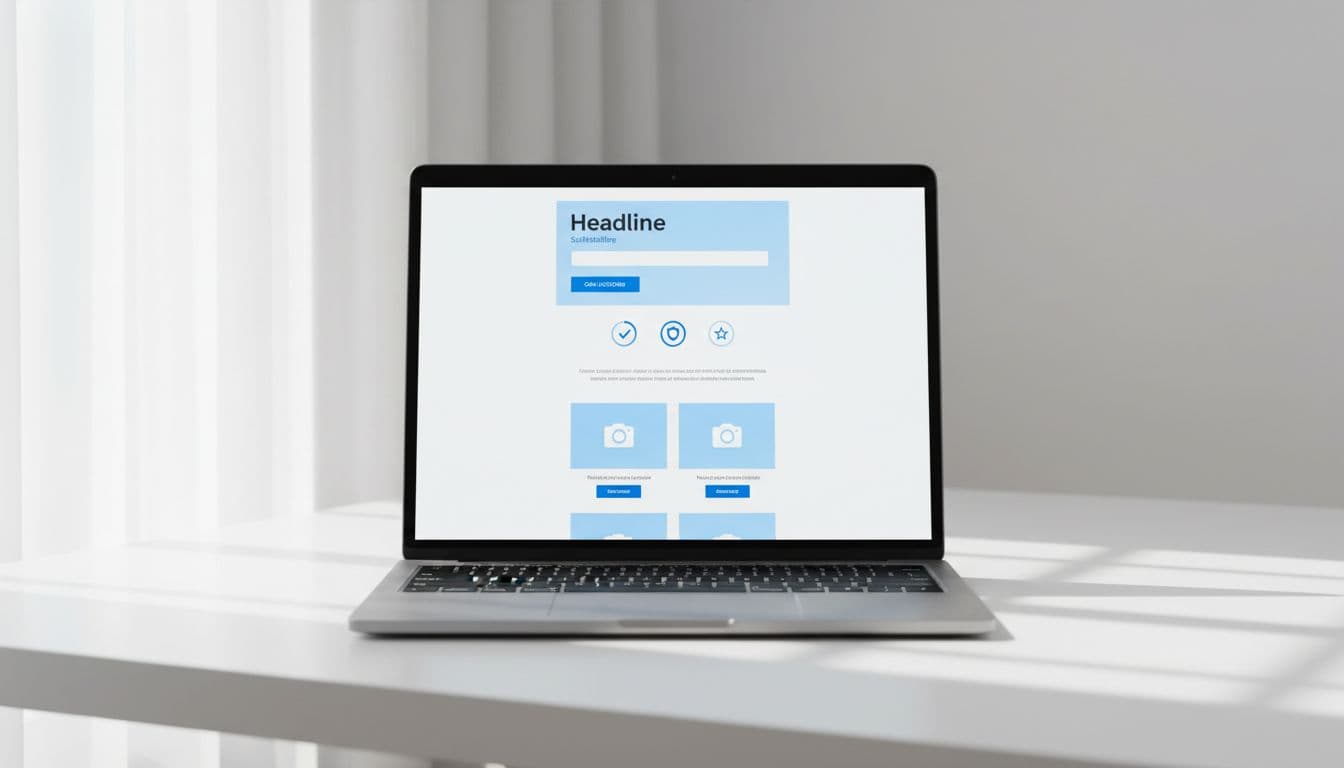
Hero headline: Honest [product category] picks for [audience]
Example: Honest email tool picks for small creators
Subheadline: I research, test, and compare [category] so you can choose with less guesswork. Some links may pay a commission.
Primary call to action: Start here, See my top picks, or Compare tools
Trust strip: Add 3 or 4 short notes under the CTA, such as independent reviews, beginner-friendly guides, updated regularly, and clear disclosures.
Short about section: In 2 or 3 sentences, say who runs the site, who it helps, and how products get reviewed.
Featured recommendations: Show a small set of best-fit options, not a giant wall of products. For each one, add who it’s best for and one reason.
How I choose tools: Explain your review method in plain English. If you need examples, this guide on using screenshots for trust in reviews shows how to add proof without making the page heavy.
Latest helpful content: Link to two or three useful articles so visitors can learn before they buy.
Footer trust basics: Include a contact option, privacy policy, about page, and affiliate disclosure.
A simple About line might say: “I help beginners compare website tools without tech jargon. I may earn from some links, but I only recommend products that meet my review standards.” That kind of copy feels honest because it is.
Trust-building sections for sites with no social proof yet
No testimonials yet? No problem. New sites can still look trustworthy if they show good judgment and open communication.
Here are affiliate-friendly trust signals that don’t depend on popularity:
- A clear disclosure near the top: Say you may earn a commission. Keep it short and easy to see. These affiliate disclosure examples to copy make that part easier.
- A simple review method: Tell readers what you check, such as price, ease of use, support, refund policy, or setup time.
- Freshness cues: Add a “last updated” line where it makes sense. People trust pages that look maintained.
- Who it’s for, and who it’s not for: This small detail makes recommendations feel honest.
- Real proof blocks: Use a small photo, test note, or cropped screenshot when you can.
- Basic site pages: An About page, Contact page, Privacy Policy, and Terms page all help.
You can also build trust before you even choose offers. Run each program through an affiliate program vetting checklist so you don’t promote shaky products.
A short founder note also helps. Even one real photo and a plain sentence about your experience can do more than a fake five-star widget. User-first design means you don’t hide downsides, crowd the page, or push every visitor toward the same offer.
Headline and subheadline formulas that sound believable
A homepage headline should be clear before it tries to be clever. Plain beats polished here.
This quick table shows three formulas that work well for beginner sites.
| Formula | Example |
|---|---|
| Honest [category] picks for [audience] | Honest web host picks for first-time site owners |
| I test [category] so you can choose faster | I test keyword tools so you can choose faster |
| Simple [result] without [pain point] | Simple budgeting app picks without app overload |
A good subheadline adds context. It should explain what the site covers, how recommendations are picked, and where affiliate links fit in.
Try this format: “[Site name] reviews and compares [category] for [audience]. Some links may earn a commission. Recommendations are based on research, testing, and clear criteria.”
That copy works because it sounds human. It also removes the fog. Readers know what you do, and they know how you make money. Skip words like best-ever, secret, effortless, and guaranteed. They make a new site sound less believable, not more.
Conclusion
A smart affiliate homepage template doesn’t try to impress people first. It helps them feel oriented, informed, and safe.
Start with one clear promise, add a short explanation, then back it up with transparent trust sections. After that, trim anything that feels pushy or vague. When your homepage reads like a helpful guide, trust has room to grow.