

A messy affiliate URL can feel like handing your reader a receipt full of random numbers and saying, “Trust me.” Affiliate link cloaking in 2026 is still a common way to turn long tracking links into branded links like /go/tool-name/.
But the question isn’t “Should I cloak?” It’s “What’s the safest, most transparent setup for my site, my programs, and my audience?”
This guide compares Pretty Links, ThirstyAffiliates, and a no-cloaking approach through three lenses that matter: SEO risk, reader trust, and compliance.
What affiliate link cloaking does (and what it shouldn’t do)
At its simplest, affiliate link cloaking is link management, often handled best by a WordPress plugin. You publish a clean URL on your domain that redirects to the merchant’s affiliate URL. That gives you two practical wins: you can update the destination in one place, and you can present links that look consistent and less “spammy.”
What it shouldn’t be is deceptive. “Cloaking” gets a bad reputation because some people use it to hide the fact they’re paid, or worse, to show different content to search engines than to users. Link cloaking for affiliates is not that. It’s closer to using a labeled doorway in your house, instead of forcing guests to crawl through the attic.
Compliance is where many WordPress site owners slip. Cloaking never replaces FTC disclosure. If you earn from a recommendation, disclose it clearly and close to the link (especially near buttons and comparison tables). If you want ready-to-use wording and placement examples, keep a copy of these affiliate disclosure examples handy.
Also, don’t cloak when you’re not allowed to. Some affiliate programs restrict redirects, link shorteners, or masked URLs (Amazon Associates is the famous example). Amazon Associates strictly prohibits such practices and requires smart uncloaking to stay compliant with their terms. Before you build a whole /go/ library, scan terms using a quick affiliate program checklist. It saves you from painful cleanups later.
User trust is the final piece. Clean links help, but only if they still feel honest:
- Use clear slugs (
/go/siteground/, not/go/recommendation7/). - Don’t disguise the click with vague buttons like “Continue.”
- Make it easy to verify, readers often hover or long-press to preview the domain.
For a broader perspective on how marketers use cloaked links responsibly, see Elementor’s guide to affiliate link cloaking.
Redirect types and SEO in 2026: 301 vs 302 vs 307 (plus the safe defaults)
Redirect choice is where “simple” can get messy. Affiliate links change, programs rotate landing pages, and tracking parameters update. Your redirect should match that reality.
Here’s a practical rule: if the target URL can change, avoid telling browsers and bots it’s permanent.
| Redirect | When it makes sense for affiliate links | Notes to keep it safe |
|---|---|---|
| 301 permanent redirect | You’re confident the short link will always represent the same offer | Good for long-term stability, but browsers and crawlers may cache it aggressively |
| 302 (Temporary) | You expect the destination to change, or you’re testing placements | Common “safe default” for affiliate redirects |
| 307 temporary redirect | Same intent as 302, but more explicit about keeping the request method | Often fine for affiliate links, especially when you want “temporary” semantics |
SEO basics that still hold in 2026:
- Apply nofollow and sponsored attributes to affiliate links. The point is to avoid sending ranking signals through paid links.
- Decide whether your
/go/URLs should be indexed. In most cases, these redirect pages have little standalone value. If they’re getting indexed, considernoindexfor the redirect endpoint so you don’t build a thin index footprint. - Avoid redirect chains. A
/go/link that redirects to a tracking domain that redirects again can add delay and increase failures on mobile.
Performance and reliability are part of compliance too, because broken links create a bad experience. While a WordPress plugin is easier, some advanced users manage redirects via an .htaccess file. Whatever approach you choose, schedule link health checks using a 404 checker. Look for:
- 404s and expired offers
- Redirect loops
- Program changes (a link that still “works” but now lands on a generic homepage)
Migration matters as well. If you ever switch plugins, the safest move is to keep your existing slugs working (same /go/ paths), export your link library, and test top pages before and after the change. The best cloaking setup is the one you can maintain without fear.
Pretty Links vs ThirstyAffiliates vs no cloaking, practical differences
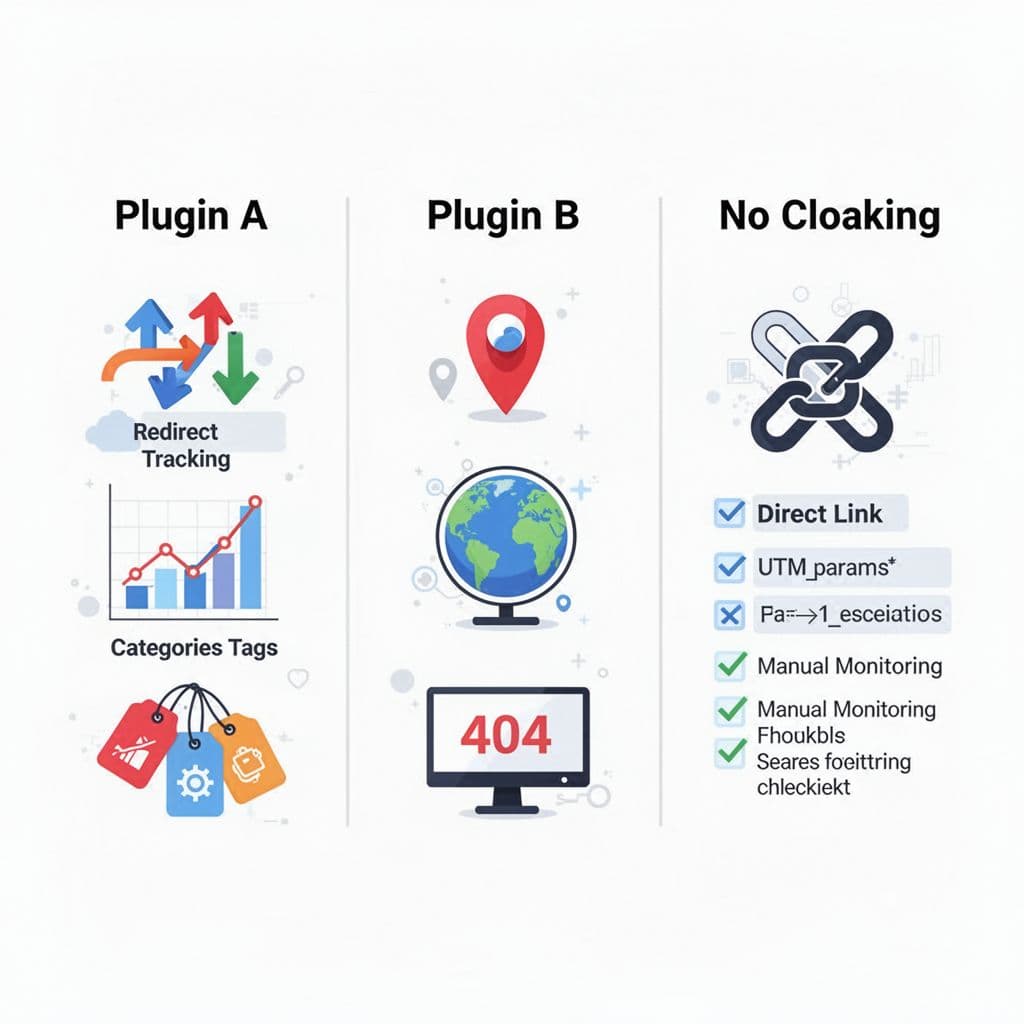
Both Pretty Links and ThirstyAffiliates solve the core problem: centralized link management with clean slugs and tracking. The decision usually comes down to how you organize links, how you monitor them, and how much automation you want. Choosing the right tool is a core part of a modern affiliate marketing strategy.
A simple comparison:
| WordPress plugin option | Best for | Watch-outs |
|---|---|---|
| Pretty Links | Creators who want straightforward link creation, reporting, and flexible redirects | Easy to grow messy if you don’t enforce naming rules and categories |
| ThirstyAffiliates | Affiliates who want affiliate-focused organization, automatic keyword linking, and link health features | Automation can backfire if it inserts links where disclosure is weak |
| No cloaking | Minimal setup, maximum transparency, fewer moving parts | Harder to update links sitewide, and broken links are easier to miss |
| Branded links | Boosting click-through rates by improving user confidence | None specific; benefits all other options |
If you want a vendor-to-vendor feature breakdown, this comparison from the ThirstyAffiliates team is useful context: ThirstyAffiliates vs Pretty Links. For a wider view of tools site owners use this year, see OptinMonster’s WordPress affiliate plugin list for 2026.
One note on trust: “no cloaking” isn’t automatically more honest. Readers care about clarity, not purity. A clean /go/hosting/ link with a clear disclosure often feels more transparent than a 200-character tracking URL pasted raw. For those specifically focusing on Amazon products, AAWP offers an alternative that avoids traditional cloaking.
Safe setup checklists you can follow today
These checklists form a solid affiliate marketing strategy for safe link management you can implement right away.
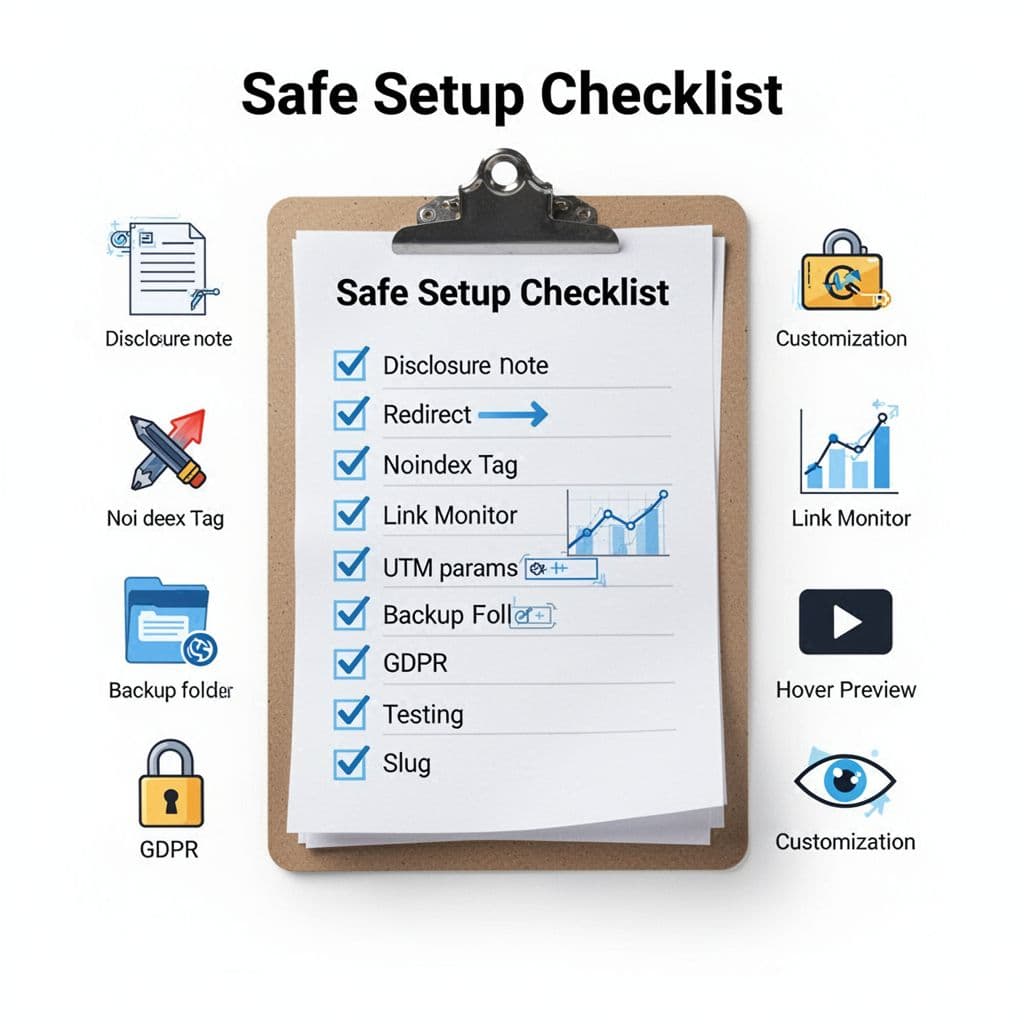
Pretty Links WordPress plugin, safe setup (step-by-step)
- Create a consistent prefix like
/go/(or/recommends/) and stick to it. - Use 302 or 307 as your default redirect for affiliate links that may change.
- Set clear slugs based on what the reader expects (
/go/email-tool/). - Add affiliate link attributes (use sponsored for paid links).
- Add disclosures above the first affiliate link and near high-intent blocks (buttons, tables).
- Test on mobile, then copy the link and confirm it resolves correctly.
- Review click reports monthly, and fix top links first.
- Integrate Google Analytics for link tracking and deeper performance insights.
ThirstyAffiliates WordPress plugin, safe setup (step-by-step)
- Create link categories that match your site structure (hosting, email tools, courses).
- Choose 302 or 307 for most affiliate redirects.
- Keep link titles human, and keep slugs predictable.
- If you use automatic keyword linking, limit it to specific keywords and pages (avoid “everywhere”).
- Turn on link checking or link health features if available, then set a routine to review failures.
- Build a “broken link” process: swap destination, pause promotion, or remove CTA blocks.
- Before big edits, back up your database so you can roll back quickly.
- Explore advanced options like link scheduling for time-sensitive promotions.
No plugin, safe setup (direct links + UTM + monitoring)
- Use direct affiliate URLs or internal links for simple redirects where programs prefer it, especially in email.
- Add UTM parameters for link tracking only when they’re allowed and useful (campaign tracking, not masking).
- Keep a simple link spreadsheet: page URL, target URL, date added, program, notes.
- Use consistent disclosure placement, even when links are “ugly.”
- Run a monthly crawl or manual check of top money pages and top outbound links.
- When offers change, update the page and note the change date for your own records.
- Keep redirects minimal; handle URL shortening manually, avoid stacking a shortener on top of another redirect.
FAQ: quick answers to common SEO myths
Will affiliate link cloaking “steal” PageRank from my site?
Outbound affiliate links should be marked sponsored (or nofollow). With that in place, you’re not trying to pass ranking credit anyway.
Should my /go/ links be indexed by Google?
Usually no. Redirect endpoints rarely deserve to rank. If they show up in Search Console, consider noindex on the redirect page.
Is cloaking required to prevent link hijacking?
It helps you control the URL you publish, but it doesn’t make you immune to commission theft or commission hijack. Monitoring, sub-IDs where available, securing your affiliate ID, and keeping your site secure matter more. Always protect your affiliate ID in every setup.
Do I need both nofollow and sponsored attributes?
Sponsored is designed for paid links. Many publishers use sponsored alone, some use both. Pick a consistent standard and apply it everywhere.
Conclusion: keep it simple, consistent, and disclosed
In 2026, a solid affiliate marketing strategy for affiliate link cloaking focuses less on tricks and more on maintenance, balancing automation with user trust. If you want centralized control and cleaner links, Pretty Links or ThirstyAffiliates remain top choices for generating branded links in the WordPress ecosystem. If your programs or workflows make redirects risky (especially email), direct links can be the safer path.
Whatever you choose, protect the basics: clear disclosures, the right redirect type, regular link health checks, and slugs that look like they belong on your site. The reader should never feel like they’re being guided through a hidden door.