
If you’ve ever thought, “I’m getting clicks, so why aren’t I getting sales?”, you’re not alone. Early on, most people promote links and hope they can “feel” what’s working. That’s like trying to improve a recipe without tasting it.
Affiliate link tracking fixes that. It enables conversion tracking to reveal why clicks fail to convert to sales, a critical insight for affiliate growth. With a few simple tags, you can tell which blog post, email, or social post drove the click, and which exact link placement led to the sale.
This guide keeps it beginner-friendly. You’ll learn two tagging methods (UTMs and SubIDs), a simple naming style, a spreadsheet template, and quick fixes when tracking breaks.
Start here in 10 minutes: your first tracked affiliate link
Pick one offer you already promote and set up tracking for just one place you’ll share it today (one blog post, one email, or one social post). Keeping it small helps you build the habit.
- Choose the traffic source you’re using right now (blog, email, instagram, youtube).
- Pick one “placement” (top button, mid-text link, P.S. link).
- Create a campaign name you can reuse (example:
jan2026-sleep-headphones). - Add a SubID using your affiliate ID within affiliate networks (a label your affiliate network records) to your affiliate link. Many programs call this
subid,sub_id,sid, ors1. Use whatever your program supports. - Add UTMs, essential tracking parameters (tags your analytics tool can read), for your blog or email campaigns when you’re sending traffic to a page you control (your blog, your opt-in page, your bridge page).
- Test the link in an incognito window, click it once to ensure outbound clicks are being recorded correctly by your tracking software, and confirm it lands correctly.
- Log it in a spreadsheet so you can compare results later.
That’s enough to start getting real feedback instead of guessing.
The two tags you need: UTMs (analytics) and SubIDs (affiliate reports)
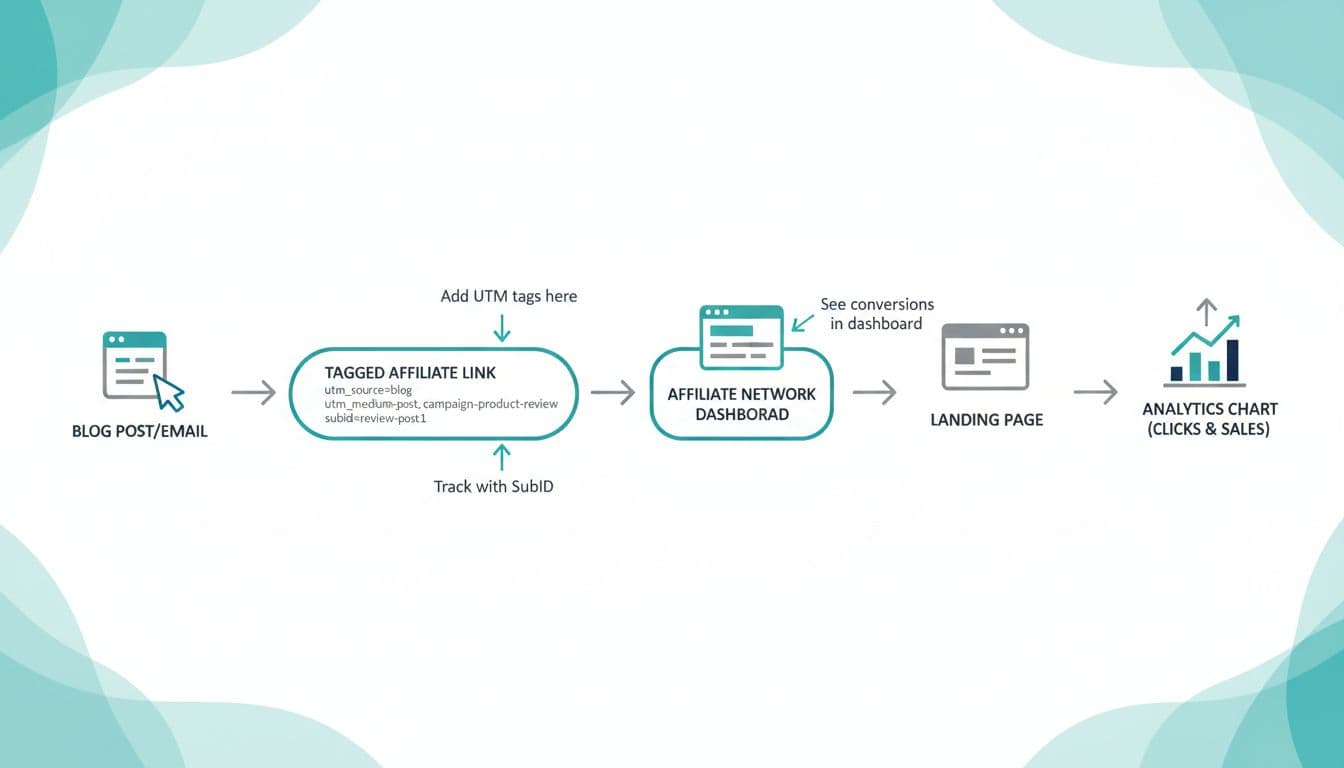
You’ll hear two terms a lot:
UTM parameters (short for Urchin Tracking Module parameters) are little text tags added to a URL. Google Analytics 4 is the primary tool for reading these tags to improve conversion tracking, grouping traffic by source, medium, and campaign. If you want a plain-language explainer, see this introduction to UTM parameters.
SubIDs are tracking labels recorded within various affiliate networks. They help you see which page or placement produced the click and sale inside the affiliate dashboard, providing merchant-side visibility even when you don’t control the merchant’s website.
Here are copy-paste examples you can edit.
Example A, tagged link to a page you control (great for GA4): https://yoursite.com/recommends/sleep-headphones?utm_source=blog&utm_medium=post&utm_campaign=jan2026-sleep-headphones&utm_content=top-button
Example B, affiliate link with a SubID (great for your affiliate dashboard): https://affiliate-network.example/track?offer=123&aff_id=456&subid=blog-sleep-headphones-top-button
Example C, email link with both UTM parameters and SubID (common approach for a complete look at the customer journey): https://yoursite.com/go/sleep-headphones?utm_source=newsletter&utm_medium=email&utm_campaign=jan2026-sleep-headphones&utm_content=ps-link&subid=news-jan2026-ps
Simple rule: use UTMs for your analytics, use SubIDs for your affiliate reporting, and when you can use both, you get a cleaner story from click to sale.
A simple naming convention for tracking parameters (lowercase, hyphens, no spaces) plus a tracking spreadsheet
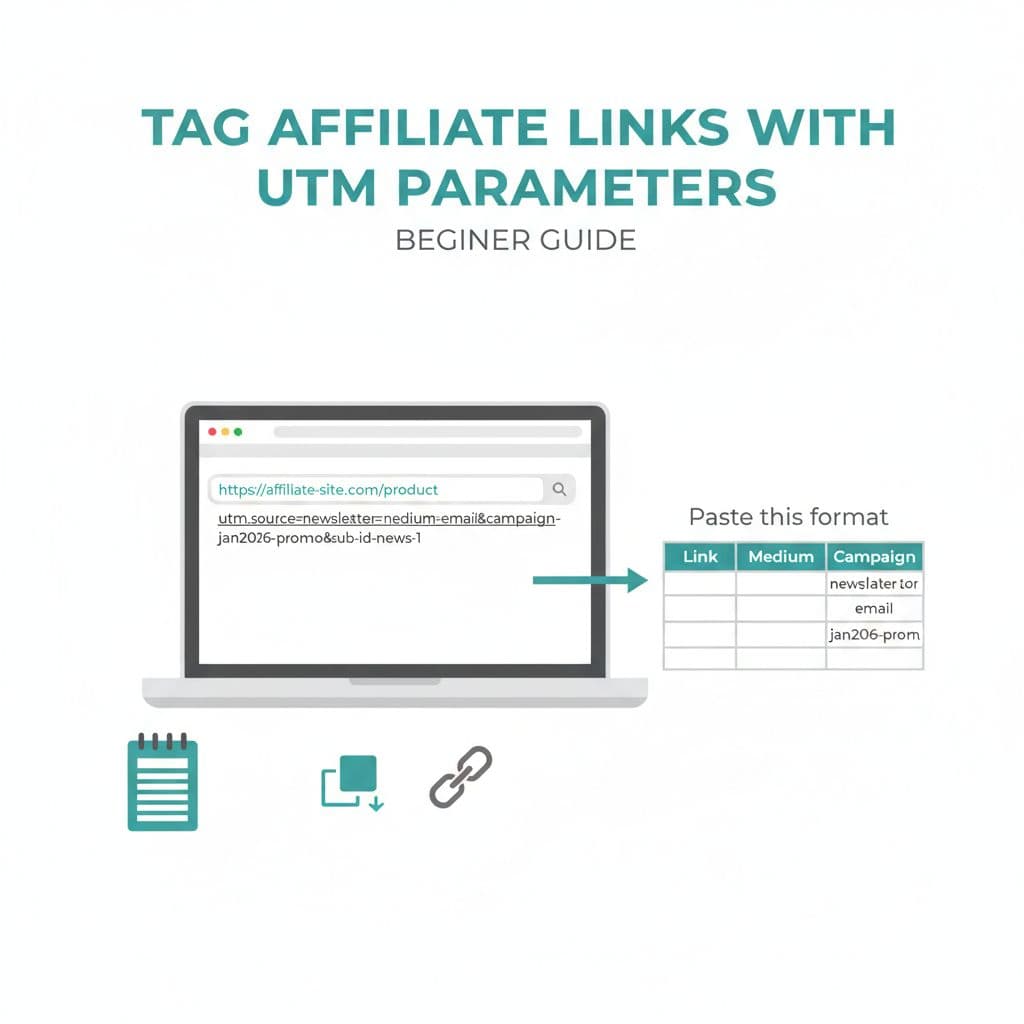
Most tracking messes come from naming. If you keep names consistent, your reports stay usable.
Recommended convention (easy to scan later):
- Lowercase
- Hyphens only
- No spaces
- Same order every time
A beginner-friendly setup:
utm_source: where the click came from (blog,newsletter,instagram,youtube)utm_medium: the format (post,email,bio,description,story)utm_campaign: what you’re pushing (jan2026-sleep-headphones)utm_content(optional but helpful): the placement (top-button,mid-text,ps-link)subid: your affiliate ID matched to content label so your affiliate dashboard lines up (blog-sleep-headphones-top-button)
If you need more examples, this how to add UTM parameters to links guide shows the basic format.
Now log every tracked link in one sheet. Keep it boring and consistent. Consider adding columns to calculate click-through rate and earnings per click for a higher-level view of performance across different affiliate networks.
| Date | Offer | Page/Asset | Placement | Final URL (tagged) | SubID | UTM Source | UTM Medium | UTM Campaign | UTM Content | Notes |
|---|---|---|---|---|---|---|---|---|---|---|
| 2026-01-12 | Sleep Headphones | blog/sleep-headphones-review | top-button | yoursit…utm_source=blog… | blog-sleep-headphones-top-button | blog | post | jan2026-sleep-headphones | top-button | updated CTA copy |
Once a week, compare: clicks vs sales by SubID, and traffic quality by UTM campaign.
Troubleshooting affiliate link tracking when numbers don’t match
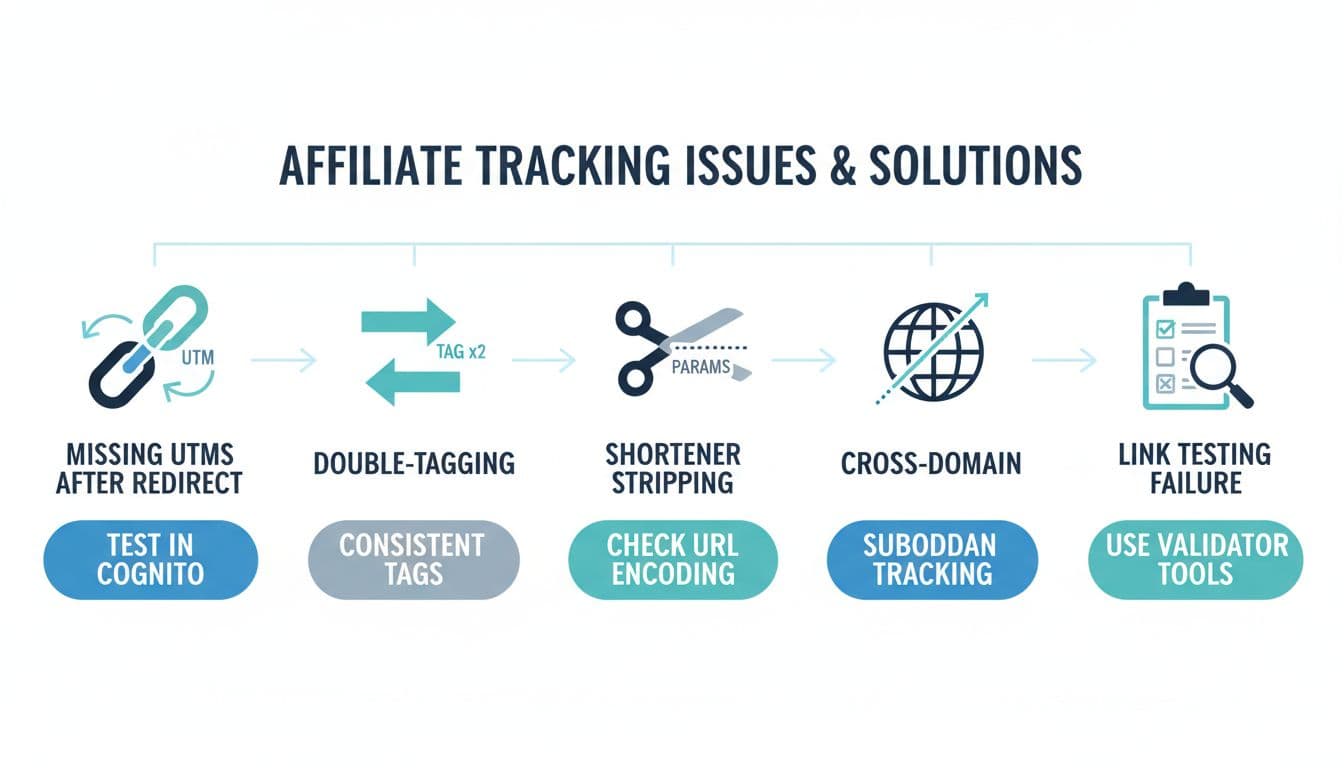
When tracking looks “off,” it’s usually one of these issues:
- Missing UTMs after redirects: Some redirect tools drop parameters. Fix it by testing your tagged URL, then watching the address bar after the redirect. If UTMs vanish, change the redirect method or tag the final page you control.
- Double-tagging: If you add UTMs in two places (your email tool plus your link), analytics can get messy. Pick one place to tag, then keep it consistent.
- Shorteners stripping parameters: Some link shorteners remove anything after
?. Test by shortening a tagged link, then expanding it. If parameters disappear, don’t use that shortener for tracked links. - Cross-domain issues: If users go from your site to a checkout on another domain, your analytics might start a new session and “lose” the original source. In that case, rely more on the affiliate SubID for sales reporting.
- Cookie tracking barriers: Modern browsers use Intelligent Tracking Prevention (ITP) that limits cookie tracking and causes data loss over time. First-party cookies provide longer attribution windows compared to third-party cookies.
- Verify outbound clicks: Use Google Tag Manager or the debugview in Google Analytics 4 to confirm outbound clicks are triggering as expected.
- Link testing problems: Always test in an incognito window, and click only once. Ad blockers and privacy tools can also hide parts of the data. For more granular conversion tracking, set up custom events if simple redirects aren’t sufficient.
For a deeper explanation of how UTMs get read and reported, this UTM tracking basics overview is helpful.
Compliance and trust: track clicks without getting shady
Tracking is fine. Sneaky behavior isn’t.
- FTC disclosures: Put a clear disclosure near affiliate links, not buried on a separate page. Do it in blog posts, emails, and even social captions when needed.
- Ethical link cloaking: A clean branded redirect like
/go/productmakes link cloaking simple and transparent, but avoid deceptive link cloaking that disguises where a link goes or promises something the offer doesn’t deliver. - SEO best practices: Use
rel="sponsored"andrel="nofollow"attributes on all affiliate links to follow guidelines, boost fraud protection, and prevent link hijacking by malicious actors. - Privacy basics: Don’t put personal info in UTMs or SubIDs (no emails, names, phone numbers). Use neutral labels like
newsletter-jan2026-psorblog-top-button.
Clear tracking plus clear disclosure builds long-term trust, and trust is what keeps people clicking.
Conclusion
Affiliate link tracking doesn’t need fancy software to work, and mastering it is your first step toward professional growth. Start with UTMs for pages you control, add SubIDs to affiliate links for sales visibility, and log everything in one simple sheet. After a couple of weeks, you’ll stop guessing and start improving the parts that actually move revenue. As you scale, explore advanced methods like server-to-server tracking (also known as S2S tracking) using a postback URL and a unique click ID; WordPress plugins can help manage these links more efficiently. Set up custom events to refine your data strategy, then create one tracked link today, check your results next week, and make one change based on real data.