
Ever publish a solid review, add your affiliate links, then watch it sit there like a store on a quiet street?
Most affiliate sites don’t have a content problem. They have a connection problem. Posts exist, but they don’t support each other, so authority and readers don’t flow through the site.
A solid internal linking structure fixes that. You’re going to pick one “hub” page per topic, build supporting “spoke” posts around it, then link them together with a repeatable pattern you can reuse for every affiliate cluster you publish. These topic clusters are the foundation for organizing content effectively.
Build an internal linking plan you can repeat for every affiliate cluster
Think of your site like a small town. A well-organized site structure makes the hub the main road, spokes are side streets, and internal links are the signs that help people (and search engines) find the best route.
Here’s the simple hub and spoke setup that works well for affiliate content, especially reviews and comparisons:
- Choose one clear hub topic, also known as pillar pages, that can hold a full buying guide (example: “Best Standing Desks”).
- Pick 6 to 10 spokes based on real reader intent, not random post ideas. If you’re still deciding what topics are worth building around, start with How to Choose the Right Affiliate Niche.
- Decide link roles upfront so every post has a job:
- The hub links out to every spoke (so readers can go deeper).
- Every spoke links back to the hub (so the hub stays “central” and for passing link equity throughout the site).
- A few spokes link to other closely related spokes (optional, but controlled).
- Write anchor text rules you’ll actually follow, before you start adding links, with user experience as the primary reason for natural link placement:
- Use mostly partial-match and descriptive anchor text (“standing desk setup guide”, “best desks for small spaces”).
- Save exact-match anchors for rare moments, like a table of contents link.
- Don’t reuse the same anchor over and over. Variety keeps it natural.
If you want a deeper explanation of hub and spoke linking choices (including what not to do), this breakdown from Search Engine Journal is worth reading: hub and spoke internal linking guidance.
A hub-and-spoke map you can copy (worked example: “Best Standing Desks”)
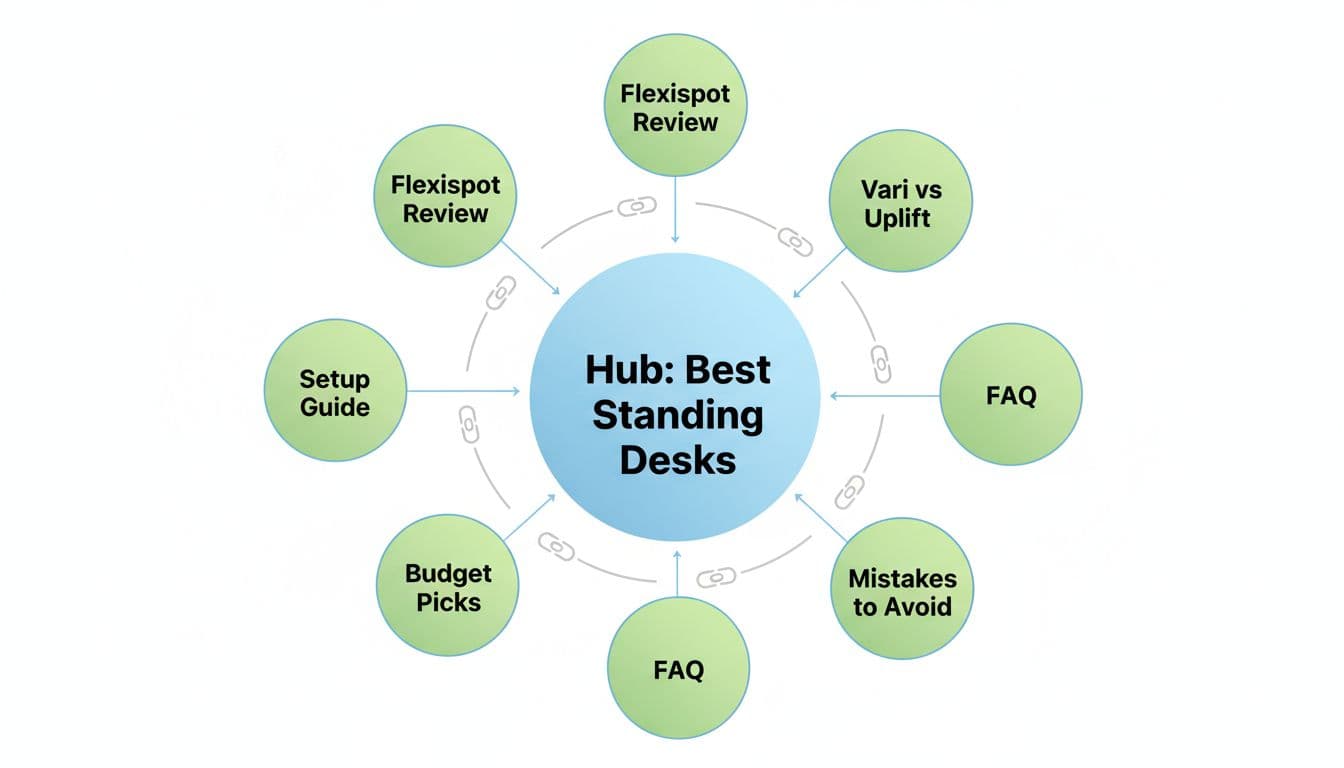
Below is a full, copyable map that represents a clear site hierarchy for content clusters. The URL paths are examples (use your own site structure), but the internal linking plan is the important part.
Suggested pages (hub + spokes)
| Page type | Proposed URL path | Primary goal |
|---|---|---|
| Hub (buying guide) | /best-standing-desks/ | Rank for the main “best” term and route visitors to the right pick |
| Spoke (single review) | /flexispot-standing-desk-review/ | Convert readers who already want that brand |
| Spoke (comparison) | /vari-vs-uplift/ | Win “vs” searches and push a clear choice |
| Spoke (how-to) | /standing-desk-setup-guide/ | Capture beginners and feed them back to the hub |
| Spoke (budget roundup) | /best-standing-desks-under-300/ | Convert price-sensitive traffic |
| Spoke (accessories) | /standing-desk-accessories/ | Increase order value and add helpful internal paths |
| Spoke (alternatives) | /standing-desk-alternatives/ | Keep “not a fit” readers on your site |
| Spoke (FAQ) | /standing-desk-faq/ | Catch long-tail questions and reduce bounce |
If you want your spokes to convert, each one needs a clean structure. This template helps a lot: High-Converting Product Review Post Template.
Exact internal links to add on each page (plus anchor examples)
Rotating anchors helps build topical authority for the main guide.
| Source page | Add these internal links | Anchor text examples (use one, rotate over time) |
|---|---|---|
/best-standing-desks/ | Link to every spoke above | “Flexispot standing desk review”, “Vari vs Uplift comparison”, “standing desk setup guide” |
/flexispot-standing-desk-review/ | Link to hub, plus 1 related spoke | To hub: “best standing desks guide”; To budget: “budget standing desk picks” |
/vari-vs-uplift/ | Link to hub, plus 1 related spoke | To hub: “top standing desks”; To accessories: “standing desk accessories worth buying” |
/standing-desk-setup-guide/ | Link to hub, plus 1 related spoke | To hub: “best desks for home office”; To FAQ: “standing desk FAQ” |
/best-standing-desks-under-300/ | Link to hub, plus 1 relevant review | To hub: “best standing desks”; To review: “Flexispot options for small budgets” |
/standing-desk-accessories/ | Link to hub, plus 1 setup or FAQ spoke | To hub: “standing desk buying guide”; To setup: “setup checklist” |
/standing-desk-alternatives/ | Link to hub, plus 1 comparison spoke | To hub: “best standing desks”; To comparison: “Vari vs Uplift differences” |
/standing-desk-faq/ | Link to hub, plus 1 spoke based on questions | To hub: “best standing desks list”; To setup: “how to set up a standing desk” |
That’s the whole system: the hub acts like the directory, spokes do the persuading, and internal links move people toward the page that matches their intent.
Common internal linking mistakes (and what to do instead)
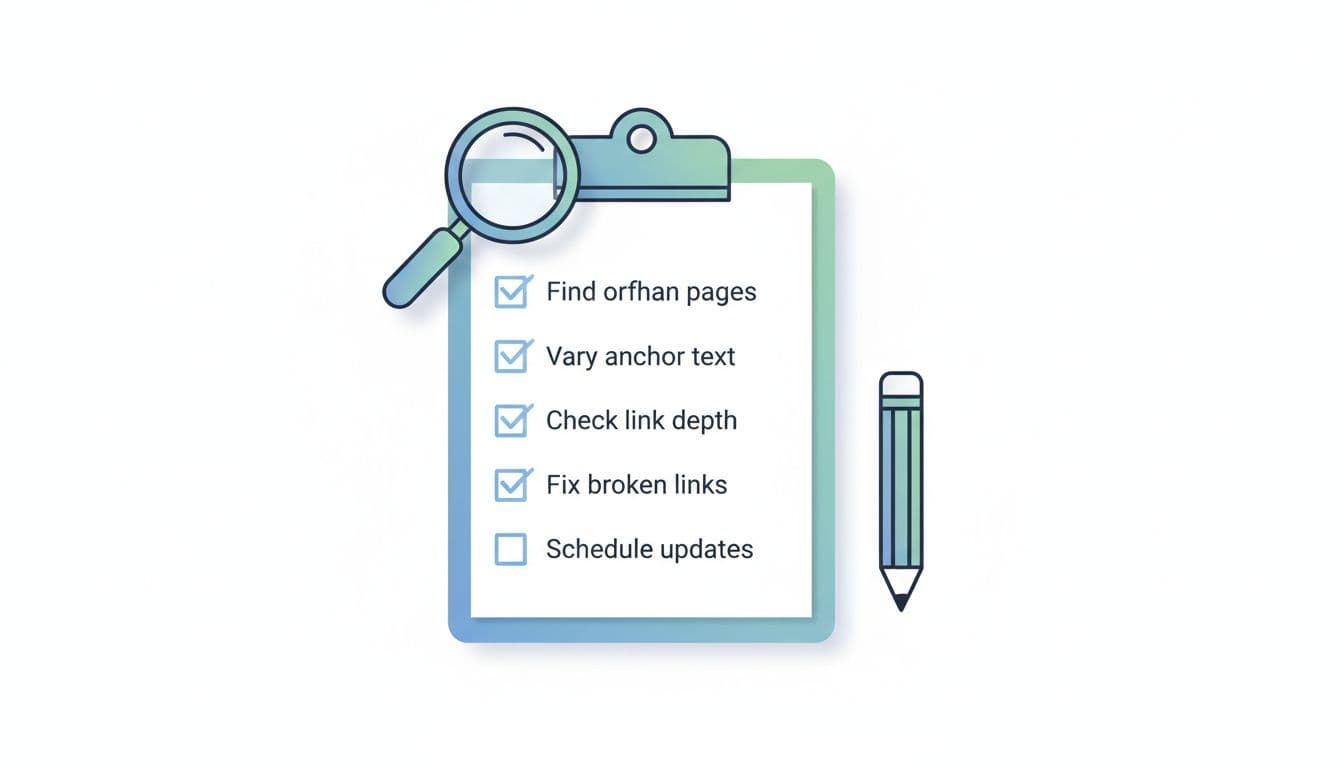
These problems show up on affiliate sites all the time:
- Over-optimizing anchors: If every page links back with “best standing desks,” it looks forced, harms user experience, and reads badly. Mix in descriptive anchor text and use what a human would naturally say.
- Sitewide links to money pages: A sidebar link to your “best” page on every post doesn’t replace contextual links inside the content. Keep affiliate clusters mostly contextual.
- Orphan pages: A review with no links pointing to it is hard to discover and easy to ignore. Every spoke should get at least one link from the hub and one from another relevant page.
- Excessive reciprocal linking: If every spoke links to every other spoke, you create a messy web that wastes crawl budget and confuses search engine bots. Cross-link only when it genuinely helps, and keep it to one or two per post.
For a solid baseline on internal link best practices, Moz has a helpful reference: internal links SEO best practices.
Also, don’t forget trust basics when you add affiliate links. If your disclosures are unclear, readers hesitate. Keep them simple with Affiliate Disclosure Examples That Convert.
Lightweight tracking with GA4, Google Search Console, and a rank tracker
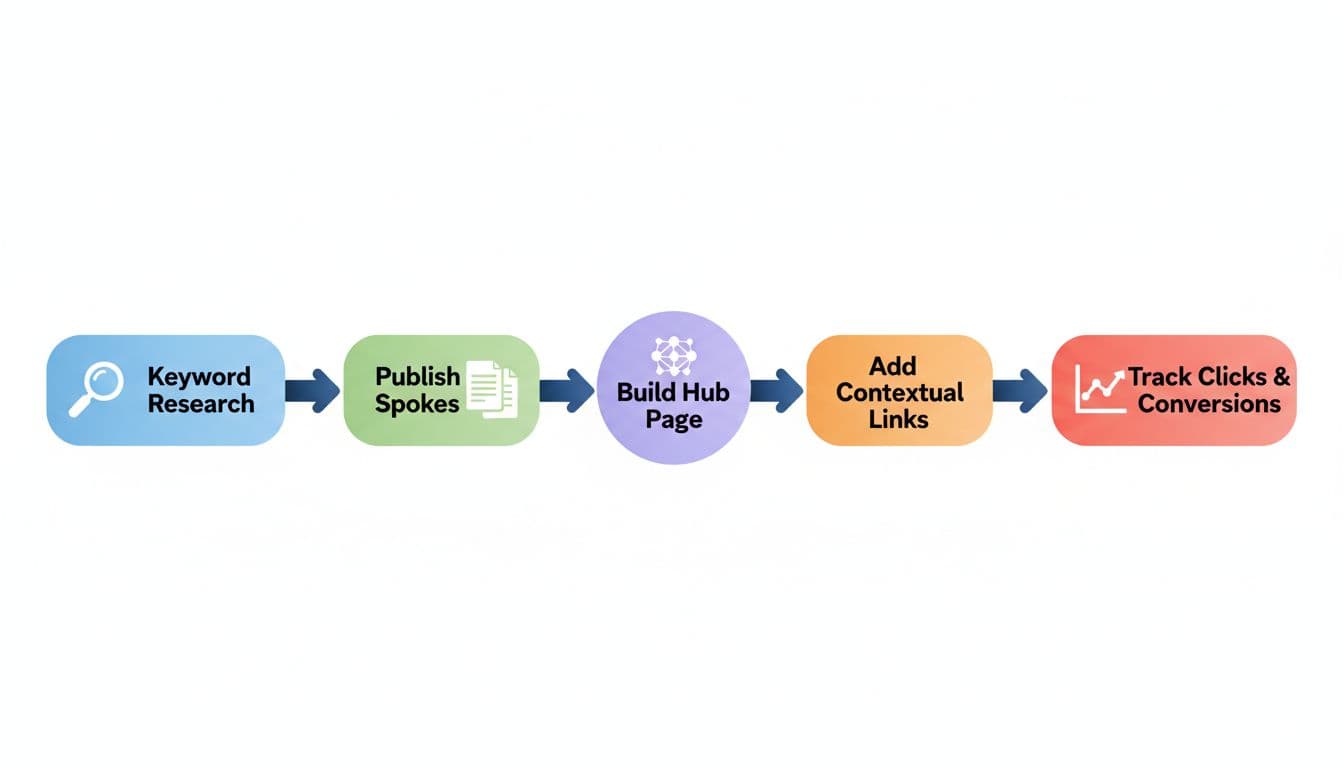
Your internal linking plan should earn its keep. The ultimate goal of tracking these internal linking plan metrics is to improve search engine rankings and link juice distribution. Track it with a few simple checks:
In GA4, focus on two behaviors:
- Internal link clicks to hub pages: Set up an event (often via Google Tag Manager) for clicks where the link URL contains your hub slug (example:
/best-standing-desks/). Watch which spokes send the most engaged traffic. - Affiliate outbound CTR: Use enhanced measurement for outbound clicks, or a dedicated event for affiliate links (by URL pattern like
?ref=or known domains). Compare affiliate click events to sessions per page.
In Google Search Console, use:
- Performance reports to see if the hub starts getting more queries and impressions after you link spokes back to it.
- The Links section to confirm the hub is becoming one of your most internally linked pages.
In a rank tracker, keep it simple: track the hub keyword, plus 3 to 5 spoke keywords. Make one change (add links), then give it a few weeks before you judge.
For extra assurance, run Screaming Frog to audit the cluster for redirect chains or other issues.
Conclusion
A professional internal linking structure isn’t busywork. It’s the key to building topical authority, ensuring high crawlability for search engines while providing a better user experience. This is the difference between a pile of separate posts and a system that guides readers to the right page and the right product.
Start with one hub, build a handful of spokes, then add links using the map above. After that, the main job is maintenance: keep spokes updated, keep the hub current, and keep tracking what people click.