
Yes, you can use affiliate links in browser extensions, but permission depends on the browser store, affiliate program, and implementation. Disclosure alone isn’t enough to authorize hidden redirects or commission-tag replacement.
Browser extension affiliate links need a clear purpose, an informed user action, and an approved traffic source. Start with the rules before building the tracking.
Key Takeaways
- Browser-store approval and affiliate-program permission are separate requirements.
- Adding recommendations inside your extension differs from rewriting links on someone else’s website.
- User-triggered, clearly disclosed monetization protects trust better than background tracking changes.
Which Browser-Store Rules Apply?
Chrome requires action and a direct benefit
Google’s Chrome Web Store affiliate policy requires disclosure in the store listing, extension interface, and before installation.
Affiliate links, codes, or cookies must follow a related user action and provide a direct, transparent benefit at that moment. Installing a Chrome extension doesn’t authorize ongoing background affiliate injection.
For example, an explicit cashback activation can connect the user’s action to a benefit. Silently adding tracking when no discount or cashback is available doesn’t meet that requirement.
Firefox and merchant permission are separate
Mozilla’s add-on policies prohibit modifying web content or facilitating redirects to insert affiliate tags. Affiliate promotions within the extension’s own interface are treated differently, subject to its other requirements.
An affiliate account approved for website publishing doesn’t automatically authorize extension traffic. Merchants and the affiliate network can separately restrict toolbars, downloadable software, cashback, coupons, or incentives. Check each program’s permitted traffic sources, including the terms for a program such as Grammarly, before sending extension traffic.
Your implementation needs permission under both contracts. Browser-store acceptance doesn’t override merchant or network restrictions.
Inserting Links, Redirecting Users, and Replacing Tags
These methods create different experiences and attribution risks.
| Method | What happens | Main concern |
|---|---|---|
| Insert a recommendation | Your popup or sidebar displays an affiliate link. | Placement, disclosure, and program permission. |
| Redirect a click | A user-selected link passes through tracking before reaching the merchant. | Transparent destination and permitted routing. |
| Modify affiliate tags | The extension adds or replaces referral identifiers on existing links. | Unauthorized attribution changes and store-policy violations. |
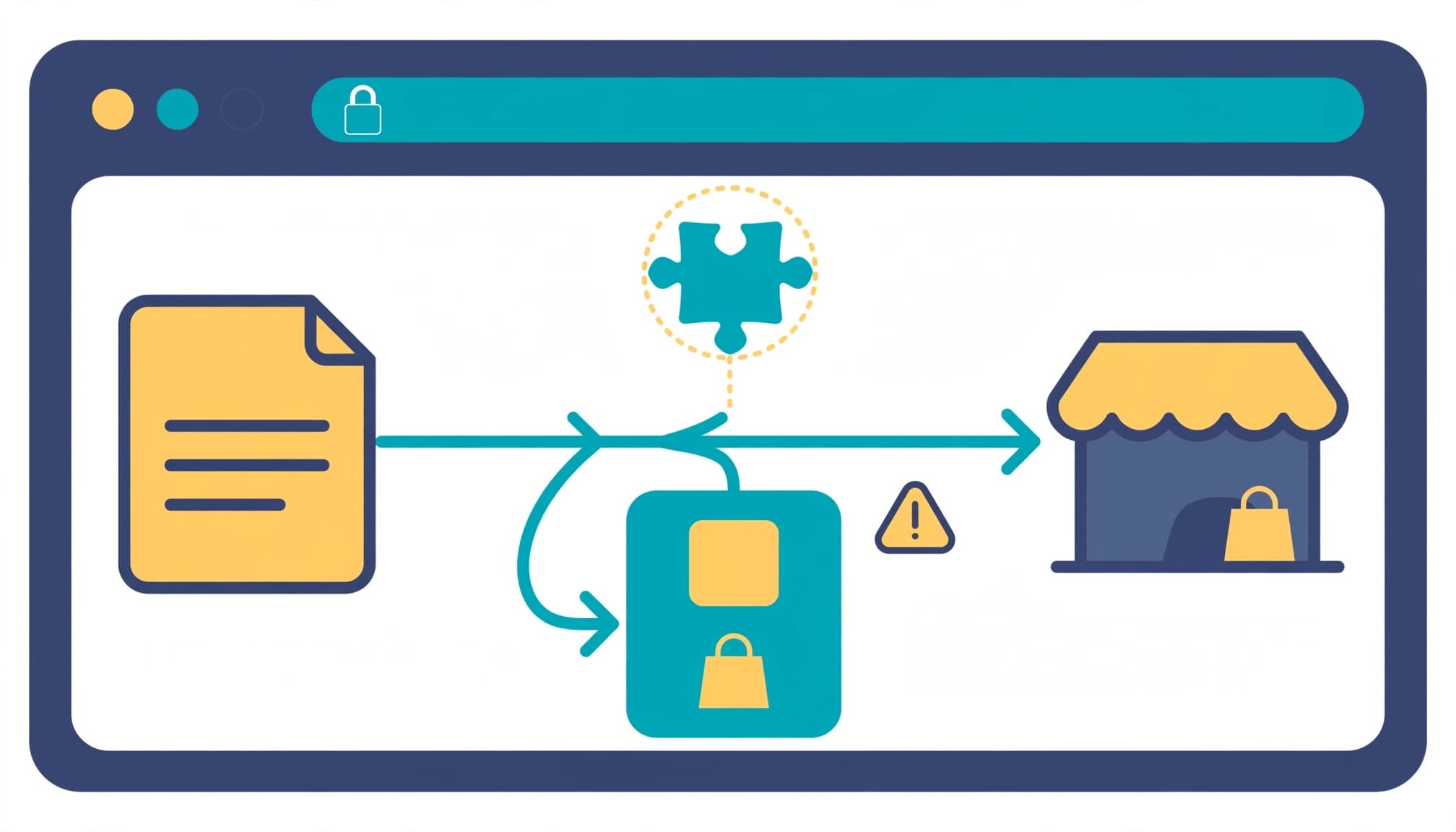
Replacing another publisher’s tag can transfer commission away from the original referral. Likewise, setting cookies without a genuine affiliate interaction can constitute cookie stuffing.
A successful merchant-page load doesn’t prove that the referral was authorized or correctly attributed.
Build Disclosure and Control Into the Extension
Put recommendations where users expect relevant help, such as a clearly identified extension popup. Avoid unrelated shopping overlays or buttons that disguise commercial destinations.
The FTC’s endorsement guidance requires clear disclosure of unexpected material connections. Place plain wording beside recommendations, before users click. For example: “We may earn a commission when you purchase through these links.”
For developers, a practical implementation sequence is:
- Document approved merchants, permitted placements, and extension-specific authorization before enabling monetization.
- Trigger affiliate behavior through an explicit, relevant action. Don’t treat page visits or installation as blanket consent.
- Restrict execution to necessary merchant domains and request the narrowest browser permissions needed.
- If you use Google Analytics to measure relevant events, collect only necessary data and respect consent. Analytics doesn’t authorize affiliate activity or replace referral attribution.
- Test redirects, identifiers, disclosure visibility, and disabled states. Confirm that declining an offer leaves ordinary browsing unchanged.
Keep browsing-history collection separate from affiliate functionality. Don’t collect unrelated activity merely because the extension can access it.
Finally, make monetization controls understandable. Users should know what happens when they activate an offer and how to stop it.
Tools for Managing Affiliate Links
Routing and branded-link tools
Geniuslink routes Amazon affiliate traffic to the appropriate regional storefront. It offers Genius Links for region-specific routing. Pricing starts at $6/month, including 1,000 clicks, then $3.50 per additional 1,000 clicks.
Pretty Links creates branded redirects, cloaked links, and QR codes within WordPress. Its Beginner offer is $99.60 for the introductory year; the stated regular annual price is $249.
Neither product grants permission to place merchant links inside an extension. A website link-management setup doesn’t grant that permission either. Our guide to affiliate link cloaking in WordPress covers the separate website-management use case.
Diagnostics, research, and affiliate platforms
These affiliate marketing tools handle different jobs, so compare their functions before paying. Compare affiliate marketing tools by their function, then check pricing and how costs scale.
| Tool | Useful role | Pricing |
|---|---|---|
| Redirect Path | Detects redirect chains and 301, 302, 404, and 500 responses. | Free |
| MozBar | Browser-based SEO research, not affiliate-link management. | Free basic version; Moz Pro starts at $49 per month. |
| Keywords Everywhere | Keyword research rather than referral tracking. | Bronze: $84/year for 100,000 credits; Platinum: $1,440/year for 8 million credits. |
| Refersion Professional | Affiliate tracking, program tracking, and management. | $99 per month |
For extension development, redirect diagnostics are more directly useful than keyword metrics. Follow our affiliate redirect audit workflow to trace hops and spot lost tracking parameters. Compare the conversion rate in your affiliate-program dashboard to see how well referrals perform.
Google Analytics can measure outbound clicks and ecommerce purchases on your own site, but those measurements don’t establish affiliate attribution.
Keep chains short. A link can reach the correct product while losing its referral identifier along the way.
Frequently Asked Questions
Is promoting an extension the same as monetizing one?
No. Promoting Grammarly through an approved referral link means marketing its product. Check the program’s terms for extension traffic before using its referral offer. Adding merchant links inside your own extension creates a separate distribution method with separate permissions.
Which commission and cookie figures matter?
Grammarly’s documented consumer commissions include $0.20 per free signup and $20 per upgrade, with a 90-day cookie window. That period alone doesn’t guarantee credit. Programs award commissions per qualified action under their eligibility rules, and later referrals or refunds can affect earnings. Minimum payout thresholds and approval schedules also determine when recorded commissions become payable.
Build Around the User’s Chosen Action
Affiliate links can support an extension when the placement, program terms, and browser-store rules align. The strongest foundation is visible user control, with clear disclosure before the commercial action.
Build permission and attribution testing into development. Hidden tracking changes put both commissions and user trust at risk.