
GA4 affiliate clicks and network clicks differ because the systems measure different actions, apply different filters, and lose different parts of the journey. A mismatch alone doesn’t prove that tracking is broken or commissions are missing.
Your first task is to compare equivalent measurements, rather than force two dashboard totals to match. Google Analytics records on-site browser events, while the network may record a redirect request. Then trace the affiliate link through to the order.
Key takeaways
- A network redirect click, a GA4 outbound click, and a merchant session are different measurements.
- Consent choices, blockers, redirects, and duplicate tags can change totals before attribution enters the picture.
- Use GA4 for on-site behavior, order records for purchase validation, and the network’s documented rules for commissions.
Why GA4 affiliate clicks don’t match network counts
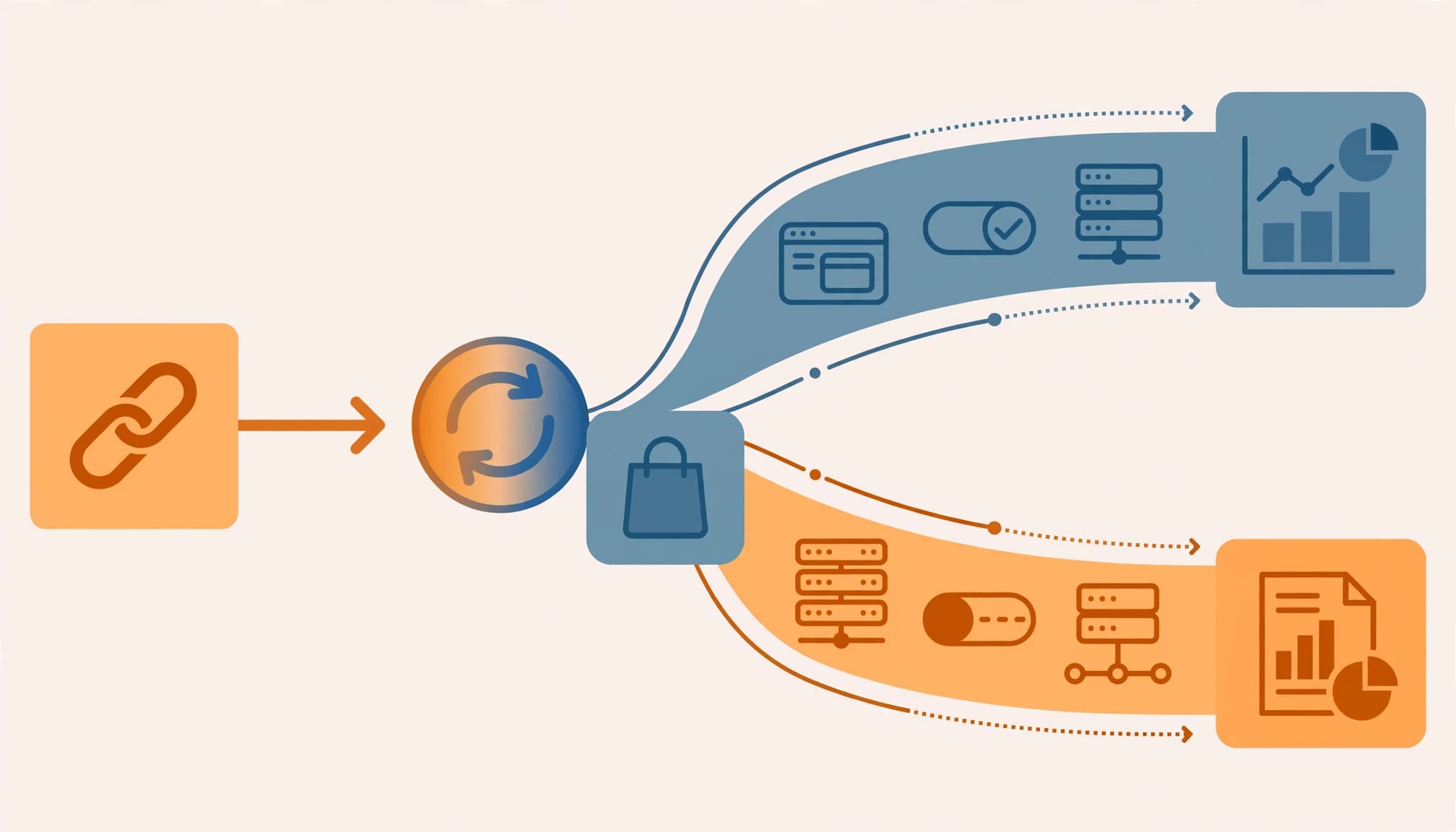
Each system observes a different point
On a publisher website, GA4 typically records an outbound affiliate click through a browser event. Meanwhile, the network may record a request when the visitor reaches its tracking redirect.
On the merchant website, GA4 usually records an arrival, not the original affiliate-link click. Several clicks can produce one session, while a visitor who abandons the redirect can produce a network click without a merchant pageview.
Enhanced Measurement’s outbound click event doesn’t automatically measure incoming affiliate clicks. For those, use tagged landing sessions or a deliberately configured referral-arrival event.
Filters and reporting clocks also differ
Networks can report total, unique, or validated clicks. Security scanners, link previews, repeated taps, and suspected bots may count differently across platforms.
Conversely, duplicate GA4 tags can inflate event counts. A WordPress plugin, tag-manager implementation, and another integration might all record the same action.
Time zones also move clicks between dates. A network using UTC and a GA4 property using Pacific time can disagree on daily totals without losing any events. Processing delays create temporary differences too.
Step 1: Define affiliate credit before tagging links
Separate click counts from sales attribution
Conversion-credit windows determine which earlier interactions qualify for conversion credit. They generally don’t change historical raw click totals, but they can change reports limited to attributed clicks or sales.
GA4’s data-driven model can distribute purchase credit across channels. Affiliate networks commonly apply last-click rules instead. Our explanation of affiliate attribution models covers how those payout differences arise.
A single-channel program with simple conditions is easier to audit. If affiliates are expected to generate 70-80% of traffic and sales, however, even a modest implementation error affects a large share of reporting.
Encode the return-visit rule explicitly
For a strict referral rule, credit the affiliate only when the customer enters through its link and purchases during the eligible visit. An affiliate program should credit tracked affiliate referrals only. A separate referral program or untagged word-of-mouth referrals may lack a network click ID.
Enforce this in the merchant’s referral and order logic. GA4 channel-credit settings alone won’t reliably implement that commercial rule.
Define visit boundaries clearly, because leaving and returning doesn’t always create a new GA4 session. An old affiliate cookie mustn’t override the stated no-return-credit condition.
Step 2: Build one clean GA4 and GTM setup
Preserve identifiers through every redirect
Use one identifiable affiliate link per affiliate, with consistent lowercase UTM parameters. Set utm_source to the affiliate identifier, utm_medium=affiliate, and utm_campaign to the campaign name. Use utm_content when placement matters.
UTMs identify acquisition context; they don’t replace the network’s click ID or supported sub-ID.
Bitly can shorten the tagged destination, but trace the complete redirect chain. Confirm that the final landing URL retains the intended parameters and that network identifiers survive where required. Remove unnecessary redirects because every additional hop introduces another failure point.
Keep names, email addresses, and sensitive information out of tracking parameters.
Send exactly one event per action
First confirm that Google Tag Manager sends pageviews and events to the correct GA4 property. Installing a container doesn’t configure measurement.
For publisher links, enable Click URL and create a Just Links trigger restricted to affiliate URLs or link classes. Send one affiliate_click event with useful parameters such as partner, offer_id, and link_position. Map the destination variable correctly and exclude personal data.
Register reporting parameters as event-scoped custom dimensions. Our GA4 affiliate tracking setup explains the naming structure.
Client side tracking with GA4, server side tracking through Stape-hosted delivery, and Bitly are useful components, but they aren’t a complete implementation. If using server-side transport, avoid sending the same event independently through both routes.
Set consent defaults before measurement tags fire, following Google’s consent implementation guidance.
Step 3: Account for consent and mobile gaps
Server-side tracking has limits
A network can receive a redirect request even when an ad blocker prevents the browser from sending GA4 events. Visitors can also close the page before analytics loads.
Stape’s GTM container hosting supports deployment and control, but it can’t recover interactions that never reach your endpoint or guarantee measurement completeness.
Google’s Consent Mode documentation explains how tags change behavior according to consent status. Modeled reporting doesn’t create a complete, individually matchable click log.
If mobile accounts for 70-80% of sales, with roughly a 70/30 iOS/Android split, segment testing accordingly. Browser restrictions, in-app browsers, and app handoffs deserve attention, but that device mix doesn’t establish a particular loss rate.
Use current privacy thresholds
In B2C ecommerce, consent choices and the privacy environment can affect browser-side measurement. EU, UK, and California requirements aren’t interchangeable. Depending on applicable rules, an ecommerce store may need consent controls, cookie banners, notices, or opt-outs. Consent Mode itself isn’t a cookie banner or legal exemption.
The shortcut of citing revenue below $25 million, less than 50% from selling data, and fewer than 50,000 residents uses an outdated, incomplete test.
The California Privacy Protection Agency FAQ describes CCPA thresholds involving buying, selling, or sharing information about 100,000 consumers or households, or deriving at least 50% of annual revenue from selling or sharing personal information. The revenue threshold is inflation-adjusted. Merely counting collected records doesn’t establish applicability or exemption.
Step 4: Diagnose discrepancies in a fixed order
Use this checklist before changing conversion-credit rules:
- Export equivalent metrics. In the GA4 dashboard, compare total outbound events with total network clicks, not users, sessions, or unique clicks.
- Align the date range and reporting time zone, then use fully processed periods.
- Test one production link in GTM Preview and GA4 DebugView. Confirm that one intended event fires.
- Inspect every redirect in browser developer tools. Record the final destination and surviving identifiers.
- Repeat with accepted and denied consent, then with a blocker enabled. Document expected gaps.
- Test iOS Safari, Android Chrome, and relevant in-app browsers. Include direct and Google return visits.
- Review network filtering definitions and duplicate GA4 implementations before interpreting remaining differences.
If GA4 parameters are empty, inspect the event tag’s variable mappings. Missing custom dimensions require registration and new incoming data; registration doesn’t backfill earlier events.
Don’t change conversion windows to repair a raw click-count mismatch. First establish whether both reports count the same action.
Step 5: Reconcile clicks with ERP and CRM orders

Start with a spreadsheet proof of concept
Build a spreadsheet before investing in a dashboard. Keep separate columns for network clicks, GA4 click events, merchant sessions, purchases, and approved commissions.
Add partner, traffic source, campaign, placement, device, date, time zone, and reporting definitions. Where permitted, retain a network click ID or sub-ID for matching. Aggregate campaign labels alone can’t establish that a particular click produced a particular order.
For publishers, group outbound events by partner and offer. For merchants, analyze arrivals using Session source/medium and Session campaign. These answer different questions.
Match orders before calculating payouts
Use the business ERP with CRM features to establish whether the order exists, its transaction ID, and its payment or refund status. Check CRM customer records against the order to validate customer and order details. Then compare eligible affiliate orders with network transactions and GA4 purchases.
Send a consistent transaction_id with merchant purchase events. Preserve the permitted referral identifier in the order system so eligibility doesn’t depend entirely on GA4.
If the purchase happens on another merchant’s website, your publisher GA4 property won’t automatically see it. Use merchant reporting, an authorized postback, or a transaction feed for revenue validation.
Finally, report clicks, engagement, and revenue by source and campaign without treating them as interchangeable. Our affiliate revenue dashboard template provides a reporting structure.
Keep pending, approved, reversed, and paid commissions separate. When matching click cohorts to later purchases, allow for conversion and approval delays.
Frequently asked questions
What tracking accuracy percentage should we expect?
There’s no defensible universal percentage. Consent rates, browser mix, redirect design, and access to merchant records all affect coverage.
Measure your own baseline instead: track GA4 events against comparable network clicks, then eligible matched orders against eligible ERP orders. These ratios describe different parts of measurement quality. Neither proves that every customer journey is visible.
Is GA4 plus GTM, Stape, and Bitly enough?
That combination can support the measurement infrastructure, but it doesn’t supply the missing business logic.
You still need tested event triggers, preserved identifiers, consent handling, explicit return-visit rules, purchase data, and order reconciliation. A simpler affiliate channel reduces competing-source questions. It doesn’t remove blocked tags, interrupted redirects, or purchases made on another device.
Make the reports comparable before chasing equality
Reliable affiliate reporting starts with clear measurement boundaries. A click, a session, an attributed purchase, and an approved commission each describe a different event or decision. No single report provides total accuracy across every stage of the journey.
Fix missing identifiers and duplicate tags first. Then reconcile eligible sales against order records, while documenting expected privacy and reporting differences. Focus on separating legitimate gaps from measurement problems, not matching every dashboard total.