
Last-click reporting can erase the work that introduced a buyer to an offer. Measuring GA4 assisted conversions helps you see when an affiliate review, email, or comparison page played a role before another channel closed the sale.
GA4 does not offer one universal assisted-conversions metric. However, its key event paths, attribution reports, campaign data, and custom events can show where affiliate traffic contributed. The result is a more useful view of partner value than a last-click-only report.
How to measure GA4 assisted conversions without a native metric
GA4 uses the term key event for actions that matter to the business, such as a purchase, qualified lead, or subscription. Its reports can show the touchpoints that started, assisted, and closed those actions.
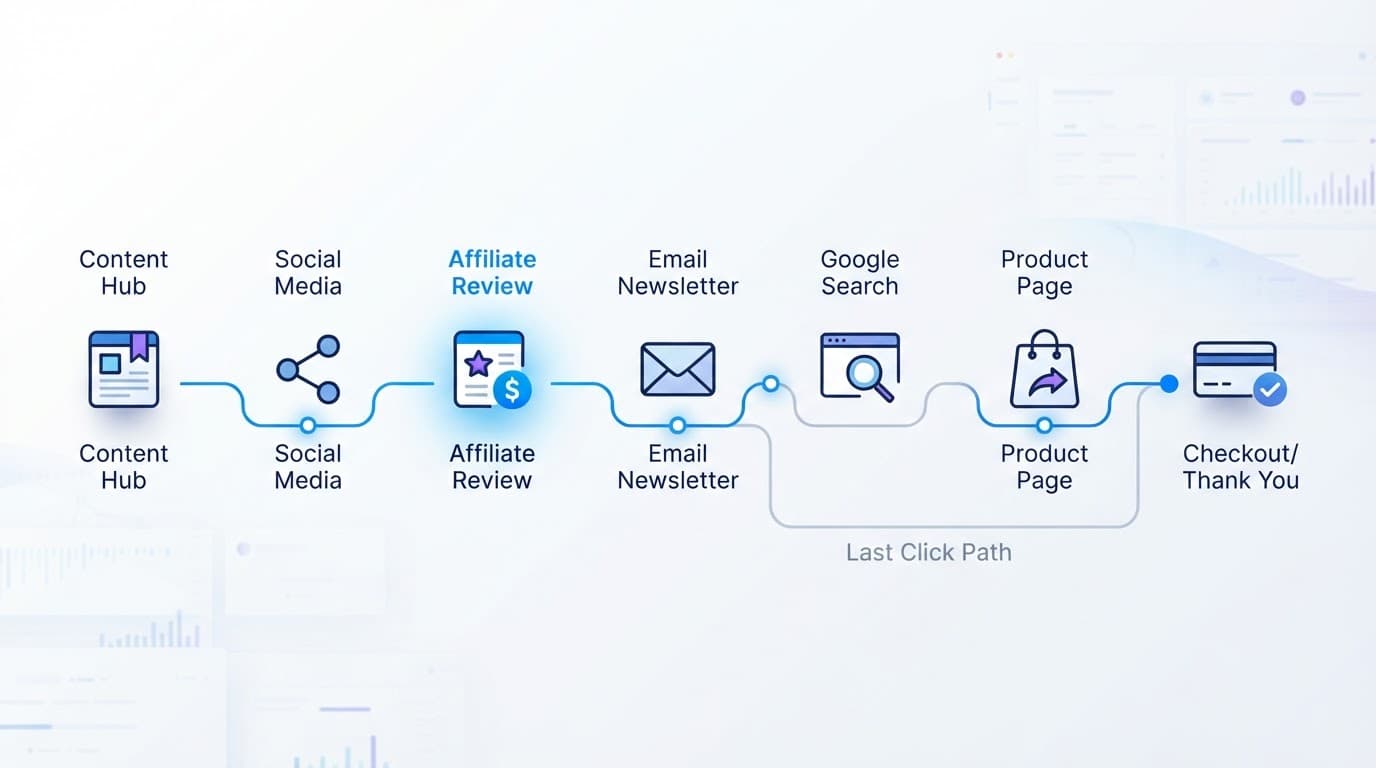
An assisted affiliate conversion is a distinct purchase or lead where identifiable affiliate traffic appeared before the final interaction. For example, a shopper may first arrive through an affiliate’s product review, return through an email, and purchase after a branded search. The affiliate helped create the sale but did not receive last-click credit.
Google’s key event guidance explains how GA4 uses Advertising reports to assign credit across the customer journey.
Merchant data and publisher data answer different questions
A merchant’s GA4 property can connect incoming affiliate traffic to a purchase key event. That setup provides the best view of affiliate-assisted sales because both the session and transaction occur in one measurement property.
An affiliate publisher’s property usually cannot see the merchant’s checkout. It can measure an affiliate_click event, link placement, and outbound destination. The affiliate network’s approved-sales report or a merchant postback must confirm revenue.
Treat GA4 as the behavior and path analysis layer. Treat the affiliate network or merchant order system as the financial record.
Build clean affiliate campaign data first
Assisted analysis fails when partner traffic arrives with inconsistent source names. A single publisher might appear as PartnerOne, partner-one, and partnerone.com, which splits the same traffic across separate rows.
Set a naming rule before campaigns go live. Google Analytics can then populate manual campaign dimensions such as source, medium, campaign, term, and content. Google’s campaign URL guidance covers the parameters GA4 reads from tagged links.
Use a stable UTM pattern for every partner
For merchant-bound affiliate links, a practical pattern looks like this:
utm_source=partnername&utm_medium=affiliate&utm_campaign=offer_name&utm_content=review_cta
Use the partner or publisher identifier for utm_source. Keep utm_medium=affiliate consistent across every partner. Use utm_campaign for the promotion, product, funnel, or seasonal offer. Then use utm_content to separate placements such as top_button, comparison_table, or email_footer.
Lowercase labels and underscores prevent accidental duplicates. A clean affiliate tracking naming system also makes it easier to compare partners after several months of campaigns.
Before adding parameters, check the affiliate program’s link rules. Some networks require their tracking URLs to remain unchanged, while others can pass UTMs through redirects. Test the full redirect chain and confirm that required click IDs or SubIDs remain intact.
Capture outbound affiliate clicks on the publisher site
Publishers should fire a custom affiliate_click event when a visitor selects an affiliate link. Include useful parameters, such as partner_name, offer_name, link_id, link_position, page_location, and destination_domain.
This event measures intent, not revenue. A click can lead to a sale later, a rejected lead, a refund, or no transaction at all. Still, it reveals which content and placements send qualified visitors to merchants.
Google’s traffic-source dimension reference helps when you need to distinguish session-level source and medium from user-acquisition data.
Configure the purchase key event and test it
A path report cannot reveal assisted revenue if the purchase signal is missing or duplicated. First, confirm that your ecommerce setup sends one purchase event after a completed order, with a unique transaction_id, value, and currency.
Then use this short validation process:
- In GA4, confirm that
purchaseappears in the Events area and mark it as a key event if it is not already one. - Open a tagged affiliate URL in a test browser session and confirm the expected source, medium, campaign, and content values.
- Complete a controlled test order, then check DebugView or your implementation’s debug tools for one purchase event.
- Record the test date, device, browser, order ID, and expected partner details before comparing reports.
Do not mark affiliate_click as a key event when purchase revenue is the main goal. Otherwise, the attribution report can mix engagement clicks with completed transactions.
A repeatable affiliate tracking test checklist catches broken redirects, lost parameters, duplicate tags, and confirmation-page errors before they distort a monthly report.
GA4 labels and menu locations can change, so check the current interface when repeating this setup. The underlying rule stays the same: one genuine order should produce one identifiable purchase event.
Find affiliate assists in GA4 Attribution paths
Open Advertising > Attribution > Attribution paths and select the key event you want to study, usually purchase. Set a date range that allows enough time for your normal buying cycle and affiliate attribution window.
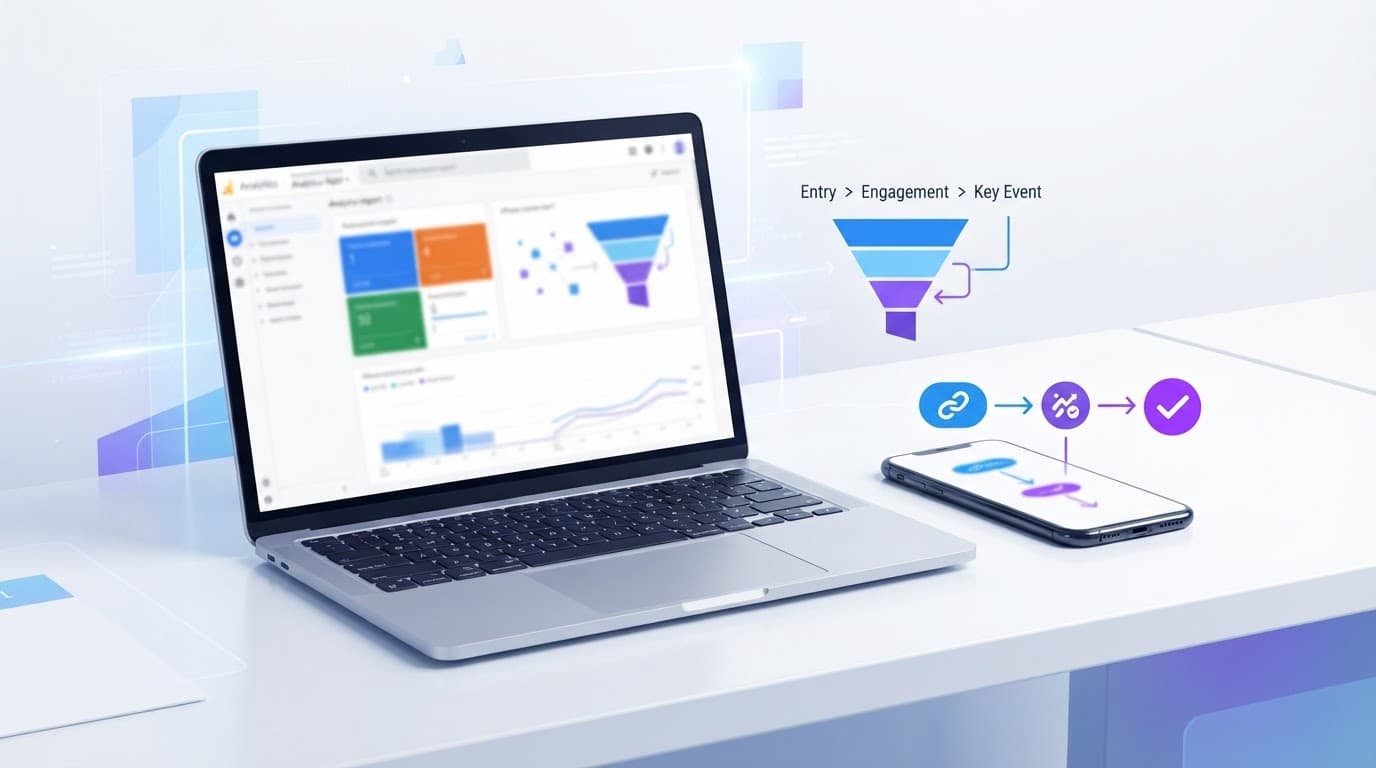
The Attribution paths report shows the sequence of touchpoints before key events, plus metrics such as key events, purchase revenue, days to key event, and touchpoints to key event.
Look for affiliate traffic before the closing touchpoint
Choose a path dimension that makes affiliate traffic recognizable, such as source, medium, or campaign. Then look for paths where affiliate appears before email, organic search, direct, paid search, or another closing channel.
A path such as partner_a / affiliate > organic search > direct shows an affiliate contribution, even though direct received the final interaction. Direct traffic has limits as a closing channel because browsers, apps, and missing parameters can also create it.
Review the selected key event carefully. Leaving all key events combined can make a newsletter signup look equal to a completed purchase.
Use Explorations for partner-level questions
The standard path report may show affiliate traffic as one channel group. When you need partner detail, build an Exploration segment around Session manual medium = affiliate, then compare Session manual source and Session manual campaign name.
Path exploration is useful for spotting common sequences. A spreadsheet or data export is better for calculating a repeatable partner-level metric by transaction ID. This is where GA4 assisted conversions become a reporting method rather than a single dashboard number.
Calculate assisted rates and assisted conversion value
Use distinct transaction IDs whenever you calculate revenue. That rule prevents one order from inflating totals because a customer had several sessions or touched multiple affiliate links.
These formulas create a clear internal definition:
| Metric | Formula | What it shows |
|---|---|---|
| Assisted affiliate conversion rate | Distinct purchases with an affiliate touch before the final touch / distinct purchases with any affiliate touch x 100 | The share of affiliate-influenced sales where the affiliate assisted rather than closed |
| Assisted conversion value | Sum of purchase revenue for distinct transactions where an affiliate appeared before the final touch | Revenue influenced by affiliate traffic before the final interaction |
| Average assisted conversion value | Assisted conversion value / assisted affiliate conversions | The average order value of assisted purchases |
A 40% assisted affiliate conversion rate means that four in ten purchases involving affiliate traffic closed through another recorded touchpoint. It does not mean the affiliate deserves 40% of every order’s revenue.
Keep one sale from appearing several times
If two affiliate partners appear before one purchase, count the transaction once in total merchant revenue. Do not add the full order value to both partner totals and then sum them as though they were separate sales.
For partner reporting, define an allocation rule before sharing results. You might report all assists as exposure, assign fractional credit, or use the attribution model shown in GA4. The affiliate network may still pay only one partner under its own last-click rules.
Keep separate columns for GA4 purchase revenue, reported commissions, pending commissions, reversed commissions, approved commissions, and paid commissions. A GA4 affiliate revenue dashboard can help keep click behavior and confirmed income from being blended together.
Compare models and protect path quality
Compare data-driven and last-click credit
In GA4 Attribution settings, compare Data-driven attribution with Paid and organic last click for the same key event and date range. Data-driven attribution distributes credit based on observed conversion patterns. Paid and organic last click assigns all credit to the final eligible interaction.
Affiliate partners often appear stronger under data-driven reporting when they introduce or educate buyers early. That does not make either model universally right. Use one model consistently for trend reporting, then explain the model whenever you present partner performance.
Google paid channels last click can also be useful when Google Ads reporting is the narrow question. It is less useful for judging an affiliate program as a whole.
Preserve the full journey across domains and consent choices
A merchant with a separate checkout domain needs cross-domain measurement so GA4 does not treat checkout as a new referral session. Configure this only across domains the merchant controls and measures in the same property.
Also review unwanted referral settings for payment providers, checkout vendors, and internal domains. A payment referral that replaces the affiliate source can hide an assist completely.
Consent choices affect observed paths. If visitors decline analytics consent, GA4 may have less path data or use modeled data where available. Match cookie controls to your privacy policy and local requirements, then treat assisted figures as measured evidence, not a complete census.
Reconcile GA4 with affiliate network reports
GA4 and affiliate networks often disagree because they use different attribution windows, time zones, tracking methods, approval rules, and commission policies. Compare matching date ranges first, then match transaction IDs, network click IDs, SubIDs, and timestamps where available.
A SubID tracking setup connects a sale back to a specific post, email, button, or campaign with more confidence than a page URL alone. Label uncertain matches clearly instead of presenting them as confirmed revenue.
Build a more honest view of affiliate value
GA4 assisted conversions are most useful when every layer agrees on what it measures. UTMs identify the partner, purchase events identify the order, path reports show the sequence, and network data confirms the commission outcome.
Last-click numbers still matter, but they are only one view of the customer journey. With clean tagging, tested events, and careful reconciliation, you can show where affiliates influenced revenue without counting the same sale twice.